A crypto wallet is how you store, send, and receive cryptocurrency. Choosing the right wallet is one of the most important decisions in crypto.
Here’s everything you need to know.
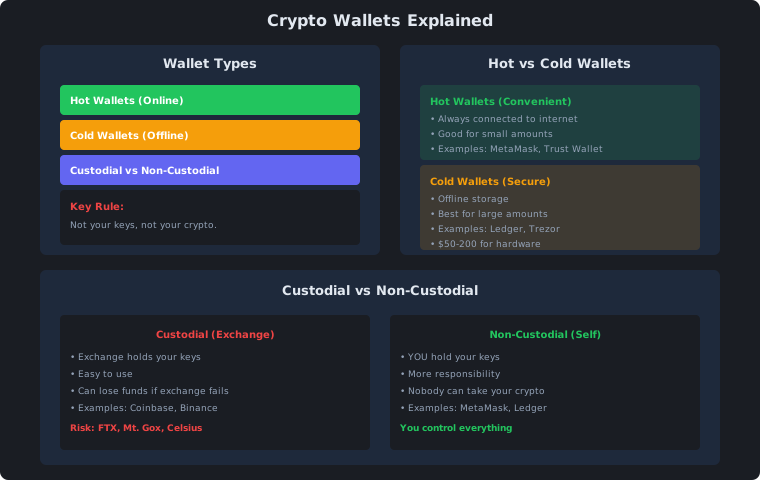
The Golden Rule
Not your keys, not your crypto.
If someone else holds your private keys, they control your crypto. If the exchange fails (like FTX), your money is gone.
Wallet Types
Hot Wallets (Online)
Always connected to the internet. Convenient but less secure.
| Wallet | Type | Best For |
|---|---|---|
| MetaMask | Browser extension | DeFi, NFTs |
| Trust Wallet | Mobile app | All-around |
| Phantom | Browser extension | Solana ecosystem |
| Coinbase Wallet | Mobile app | Beginners |
Pros:
- Easy to use
- Free
- Instant access
- Good for small amounts
Cons:
- Connected to internet (hackable)
- Less secure for large amounts
- Can lose funds if device is compromised
Cold Wallets (Offline)
Physical devices that store keys offline. Most secure option.
| Wallet | Price | Best For |
|---|---|---|
| Ledger Nano S | $79 | Budget option |
| Ledger Nano X | $149 | Bluetooth, more storage |
| Trezor One | $69 | Open source |
| Trezor Model T | $219 | Touchscreen, premium |
Pros:
- Keys never touch internet
- Immune to online hacks
- Best for large amounts
- You control everything
Cons:
- Costs $50-200
- Less convenient
- Can lose the device (but can recover with seed phrase)
- Slight learning curve
Custodial vs Non-Custodial
Custodial (Exchange Holds Keys)
| Exchange | Risk Level |
|---|---|
| Coinbase | Low (US regulated) |
| Kraken | Low (US regulated) |
| Binance | Medium (offshore) |
| Smaller exchanges | High |
When to use: Small amounts, active trading
Risk: Exchange can fail, get hacked, or freeze your account
Non-Custodial (You Hold Keys)
| Wallet | Control |
|---|---|
| MetaMask | Full control |
| Ledger | Full control |
| Trezor | Full control |
When to use: Long-term holding, DeFi, large amounts
Benefit: Nobody can take your crypto
Recommended Setup
| Amount | Wallet Type |
|---|---|
| Under $1,000 | Exchange (Coinbase, Kraken) |
| $1,000-$10,000 | Hot wallet (MetaMask, Trust) |
| $10,000+ | Cold wallet (Ledger, Trezor) |
| $100,000+ | Multi-sig cold wallet |
How to Set Up a Wallet
MetaMask (Hot Wallet)
- Install browser extension or mobile app
- Create new wallet
- Write down 12-word seed phrase (NEVER share this)
- Set password
- Done — you now control your crypto
Ledger (Cold Wallet)
- Buy from official website (never eBay)
- Connect to computer
- Follow setup instructions
- Write down 24-word seed phrase
- Transfer crypto from exchange
Security Tips
| Do | Don’t |
|---|---|
| Write down seed phrase on paper | Store seed phrase digitally |
| Use strong, unique password | Reuse passwords |
| Enable 2FA on exchanges | Share private keys |
| Buy hardware wallet from official site | Buy from eBay/Amazon |
| Test with small amounts first | Send large amounts without testing |
Summary
| Key Point | Takeaway |
|---|---|
| Hot wallets | Convenient, for small amounts |
| Cold wallets | Secure, for large amounts |
| Custodial | Easy but risky |
| Non-custodial | You control everything |
| Seed phrase | Write it down, never share it |
| Rule | Not your keys, not your crypto |